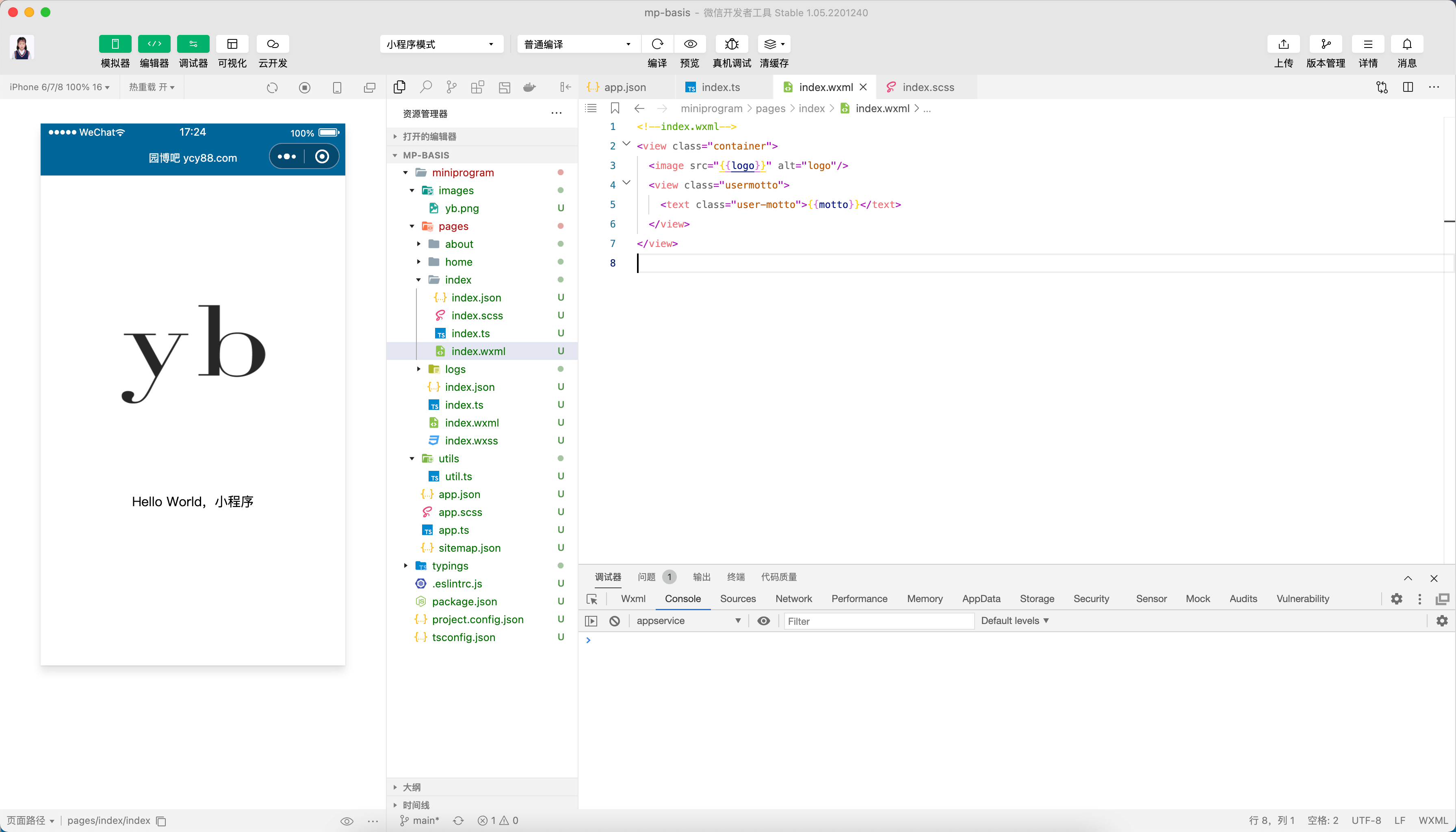
小程序数据绑定
小程序的数据绑定非常简单,只要将数据写在 _.ts(或 _.wxs)中的 Page({data: 绑定在这里})即可。
小提示
如果你是从 VUE 开发转过来学习小程序的,你会发现小程序有太多和 VUE 相似的地方。这对你上手小程序是很有帮助的。
DEMO 代码(以 index 为例):
- index.wxml
html
<!--index.wxml-->
<view class="container">
  <image src="{{logo}}" alt="logo" />
  <view class="usermotto">
    <text class="user-motto">{{motto}}</text>
  </view>
</view>- index.ts
ts
// index.ts
// 获取应用实例
const app = getApp<IAppOption>();

Page({
  data: {
    motto: "Hello World,小程序",
    logo: "/images/yb.png",
  },
  // 事件处理函数
  bindViewTap() {
    wx.navigateTo({
      url: "../logs/logs",
    });
  },
  onLoad() {},
});- index.scss
scss
/**index.scss**/
.usermotto {
  margin-top: 50px;
}