Node 清单 - 搭建 Koa 服务器
一、使用脚手架初始化项目
脚手架
koa-generator 是一个 Koa 的脚手架工具。
js
// 1. 安装脚手架
$ npm install -g koa-generator

// 2. 通过脚手架创建初始化项目
koa -e project          // 生成 koa 项目(koa版本为1.x)
// OR
koa2 -e koa2-project    // 生成 koa 项目(koa版本为2.x)

// 3. 进入项目
cd project  // OR: cd koa2-project
npm install

// 4. 启动项目
npm run dev出现如图所示,则表示项目初始化 OK: 
注意
本项目 DEMO 基于 koa2,也就是说运行的命令是「 koa2 -e koa2-project 」。
二、优化配置:
js
// ====== 项目初始化配置目录
bin;
public;
routes;
index.js;
user.js;
views;
error.ejs;
index.ejs;
app.js;
package.json;

// ====== 调整后的目录结构
bin;
conf; // add
db.js; // 定义数据库连接配置信息
mysql.js; // 定义数据库连接
constants.js; // 定义全局常量
controller; // add
user.js; // 定义登录请求的查询语句信息
utils; // add
cryp.js; // 加密工具
model; // add
resModel.js; // 设置响应的通用model
public;
routes;
index.js;
user.js;
views;
error.ejs;
index.ejs;
app.js;
package.json;上述文件夹和文件定义好后,需要安装对应的依赖,并完善文件代码内容 第一步: 安装依赖
js
// 1. 安装依赖
$ npm i mysql xss jsonwebtoken第二步:完善文件代码
2.1 conf/db.js
js
// 2.1 conf/db.js
const env = process.env.NODE_ENV;
let MYSQL_CONF;
if (env === "dev") {
  MYSQL_CONF = {
    host: "localhost",
    user: "root",
    password: "password",
    port: "3306",
    database: "yuanbo_web",
  };
}
if (env === "production") {
  MYSQL_CONF = {
    // ...
  };
}
module.exports = {
  MYSQL_CONF,
};2.2 conf/mysql.js
js
// 2.2 conf/mysql.js
const mysql = require("mysql");
const { MYSQL_CONF } = require("./db");
const con = mysql.createConnection(MYSQL_CONF);
// 开始连接数据库
con.connect();
function exec(sql) {
  const promise = new Promise((resolve, reject) => {
    con.query(sql, (err, result) => {
      if (err) {
        reject(err);
        return;
      }
      resolve(result);
    });
  });
  return promise;
}
module.exports = {
  exec,
  escape: mysql.escape,
};2.3 conf/constants.js
js
// 2.3 conf/constants.js
const SECRET_KEY = "bobo_1022#";
module.exports = {
  SECRET_KEY,
};2.4 controller/user.js
js
// 2.4 controller/user.js
const { exec, escape } = require("../conf/mysql");
const { genPassword } = require("../utils/cryp");

// 登录
const logIn = async (loginData) => {
  const username = escape(loginData.username);
  // 生成加密密码
  let password = genPassword(loginData.password);
  password = escape(password);
  const sql = `SELECT username, realname FROM users WHERE username=${username} AND password=${password}`;
  const rows = await exec(sql);
  return rows[0] || {};
};
// 退出登录
const logOut = async (logoutData = {}) => {
  return true;
};
module.exports = {
  logIn,
  logOut,
};2.5 utils/cryp.js
js
// 2.5 utils/cryp.js
const crypto = require("crypto");
const { SECRET_KEY } = require("../conf/constants");

function md5(content) {
  let md5 = crypto.createHash("md5");
  return md5.update(content).digest("hex");
}

function genPassword(passsword) {
  const str = `password=${passsword}&key=${SECRET_KEY}`;
  return md5(str);
}

module.exports = {
  genPassword,
};2.6 model/resModel.js
js
// 2.6 model/resModel.js
class BaseModel {
  constructor(data, message) {
    if (typeof data === "string") {
      this.message = data;
      data = null;
      message = null;
    }
    if (data) {
      this.data = data;
    }
    if (message) {
      this.message = message;
    }
  }
}

class SuccessModel extends BaseModel {
  constructor(data, message) {
    super(data, message);
    this.code = 0;
  }
}

class ErrorModel extends BaseModel {
  constructor(data, message) {
    super(data, message);
    this.code = -1;
  }
}

module.exports = {
  SuccessModel,
  ErrorModel,
};三、完善请求路由(以 /login 为例):
注意
/users/login 以 mock 模拟方式处理,可以通过 Postman 来验证模拟的请求结果。
js
// routes/user.js
const router = require("koa-router")();
const { logIn, logOut } = require("../controller/user");
const { SuccessModel, ErrorModel } = require("../model/resModel");
// const loginCheck = require('../middleware/loginCheck')
const jwt = require("jsonwebtoken");
const { SECRET_KEY } = require("../conf/constants");

router.prefix("/users");

// 登录
router.post("/login", async function (ctx, next) {
  const body = ctx.request.body;
  if (!body.username || !body.password) {
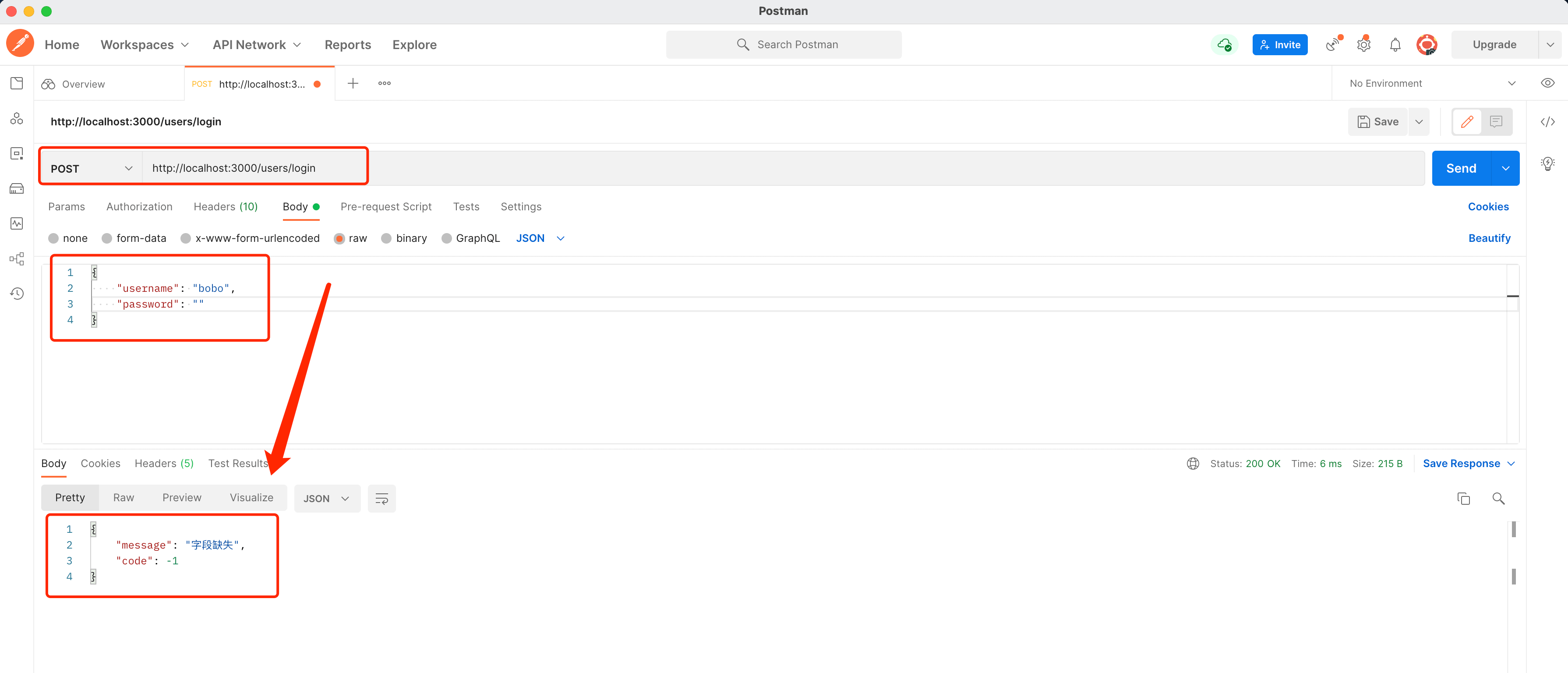
    ctx.body = new ErrorModel("字段缺失");
  } else {
    // ====== mock 模拟方式
    let payload = { time: new Date().getTime(), timeout: 1000 * 60 * 60 * 2 };
    const token = jwt.sign(payload, SECRET_KEY, { expiresIn: "7d" });

    ctx.body = new SuccessModel({
      username: body.username,
      msg: "恭喜您,成功登录",
      token,
    });

    // ====== 调用 mysql 方式
    // const data = await logIn(body)
    // if (data.username) {
    //   let payload = {time:new Date().getTime(), timeout: 1000 * 60 * 60 * 2}
    //   const token = jwt.sign(payload, SECRET_KEY, {expiresIn: '7d'})
    //   data.token = token
    //   // 设置session
    //   ctx.session.username = data.username
    //   ctx.session.realname = data.realname
    //   ctx.body = new SuccessModel(data)
    //   return
    // }
    // ctx.body = new ErrorModel('登录失败')
  }
});
// 退出登录
router.post("/logout", async function (ctx, next) {
  const body = ctx.request.body;
  const data = await logOut(body);
  ctx.session = null;
  ctx.body = new SuccessModel(data);
});

module.exports = router;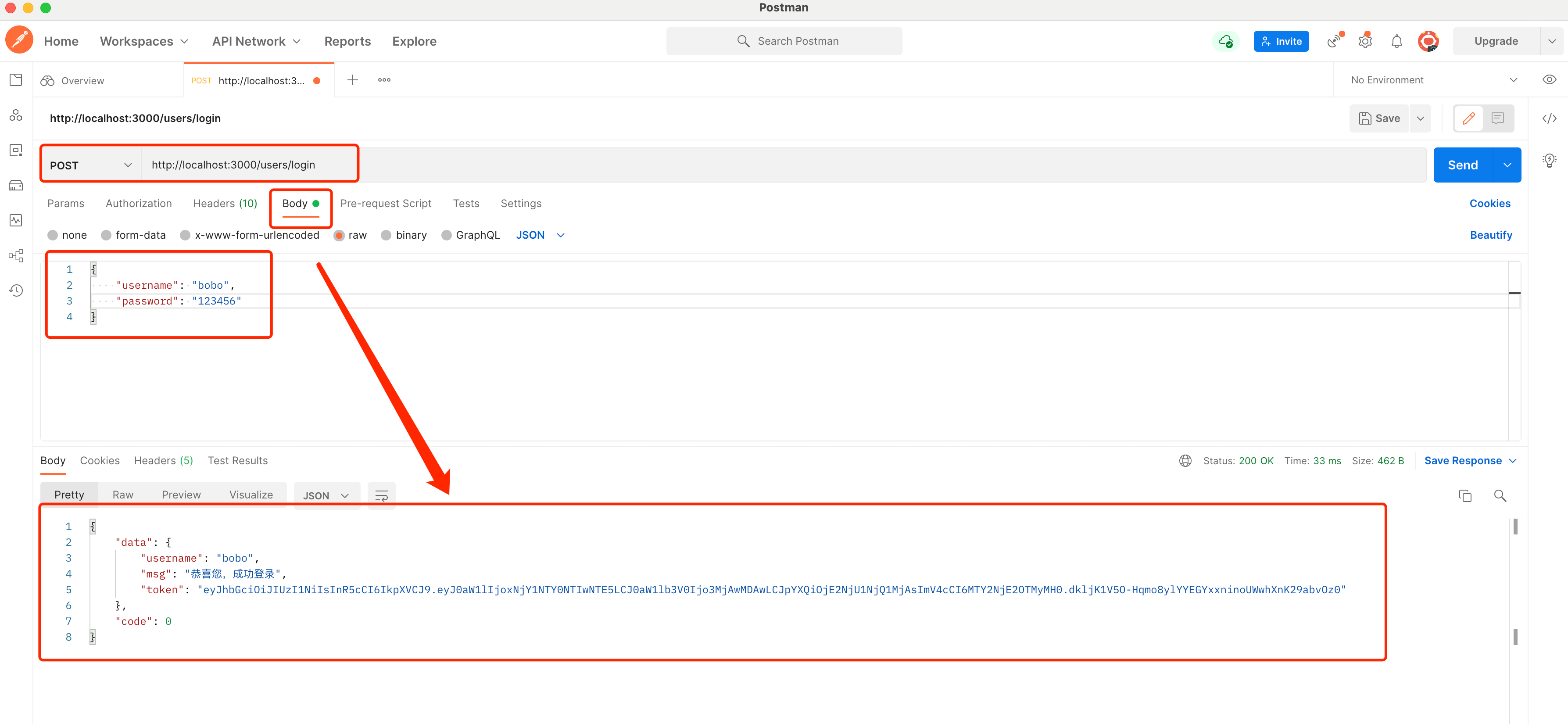
如果没有传递完整的字段值:
DEMO 源码:
DEMO -- Koa2